
IP connectivity describes the network infrastructure and protocols that allow connected devices to communicate reliably using Internet Protocol. For professional integrators, the fundamentals are the cabling, topology, switching paths, permanent links, channels, components, testing and documentation that determine whether the network can support AV systems after handover.
Why AV Networks Depend on IP Connectivity
Network infrastructure is no longer a background service in residential and light-commercial AV projects. It is now an important feature supporting the building’s connection to the world via Wi-Fi access points, control systems, intercoms, streaming devices, AV-over-IP endpoints, smart home platforms, surveillance and remote support.
IP connectivity refers to the cabling infrastructure and network design that enable data to move between these devices using Internet Protocol. For integrators, the practical value of understanding IP connectivity is knowing which parts of the network affect reliability, serviceability and future expansion in real projects.
A camera that drops offline, an access point that performs inconsistently, a control system that becomes slow, or an AV endpoint that loses connection may not be a standalone device problem. The root cause may sit deeper in the infrastructure, such as the cable route, termination, patching, topology, switch path, or configuration.
So, the goal for every integrator is to understand the parts of IP connectivity that affect how connected AV systems perform once they are in use.
What Integrators Need to Understand First
This article explains IP connectivity at the physical layer in local area networks. This includes specifics such as AV-over-IP, PoE, and Wi-Fi infrastructure requirements, and cable selection, testing and network readiness. It does not cover how internet services reach the campus, building or home, focusing instead on the internal network; the cabling, hardware and topology inside the premises that allow connected devices to communicate after the internet connection has already been established.
LAN, WAN and the Part Integrators Can Influence
For the majority of AV integrators, the most important part of IP connectivity is the Local Area Network or LAN, this is the local network inside a home, workplace or venue. The LAN is connected to the Wide Area Network or WAN, the internet service coming into the premises. Importantly, a poorly planned LAN can limit a fast internet service if the cabling, switching, access points, patching or topology are not suitable for the system being installed.
Key Network Device Roles in an AV Network
| Device | Role in the network | What integrators should remember |
|---|---|---|
| Modem / broadband access device | Connects the premises to the internet service. | Defines the WAN entry point but does not determine the quality of the internal network. |
| Router | Manages traffic, addressing, gateway functions and often firewall behaviour. | Forms the logical centre of the network and affects routing, access and security. |
| Switch | Adds wired ports for hosts and infrastructure devices. | Supports racks, access points, cameras, control processors and AV endpoints. |
| Access point | Creates a wireless local area network (WLAN) to enable Wi-Fi devices to connect. | Performs best when placed for coverage and connected back by reliable cabling. |
| Host | Any connected endpoint device on the network. | Includes AV endpoints, control devices, computers, cameras, media devices and smart systems. |
From a Basic Home Network to an Integrator-Designed Network
A typical home network relies on the wireless router supplied by its internet service provider, wherein the wired and wireless functions that manage the network are bundled into one device. That often results in the wireless transceiver being placed where the service enters the building, rather than where coverage is actually needed.
In a professional smart home project, these network functions are usually separated for better management and optimisation: a broadband internet access device, a router, one or more switches, and multiple access points that are each positioned for optimal wireless coverage.
This is where structured cabling becomes critical. If a device does not move, meaning it has a fixed location and is not portable, a wired connection is usually the more robust, predictable and lower-latency option. Portable wireless devices rely on good Wi-Fi, and that in turn relies on effective cabling – access points perform best when they are placed and configured for coverage and connected back to the network with a reliable wired backhaul.
How IP Communication Differs from Traditional AV Signal Flow
Traditional AV signals flow through dedicated cables as a continuous one-way stream from source to destination. It can be baseband or modulated, compressed or uncompressed, and with no delivery checks or error correction. IP networking behaves differently: data is divided into packets, sent across the network and reassembled by one or more receiving devices. That packet-based behaviour is why addressing, routing, switching, traffic flow and error handling matter in network-connected AV systems.
Want to understand what happens when AV moves onto the network?
Explore the infrastructure, switching and traffic considerations that affect reliable
AV-over-IP performance.
How an IP Network Is Structured
The wiring layout of IP networks is a critical factor that determines the efficiency and reliability of data transmission across connected devices. At its foundation, an IP network consists of several essential components, including end devices, network hardware and the cabling infrastructure that connects these devices.
In AV projects, the network host list is often broader than conventional IT examples. Devices may include wireless access points, cameras, intercoms, control processors, touch panels, AV-over-IP encoders and decoders, media servers, recorders and smart building systems. The layout determines how easily those devices communicate, how traffic moves and how faults are isolated.
Network topology refers to the physical or logical arrangement of devices and how they communicate with one another. The layout affects network performance, scalability and fault tolerance.
Star Topology
In a star topology, all devices are connected through home run cabling to a single central hub or switch through which all data traffic flows. The primary advantage of a star topology lies in its simplicity and ease of management. If a single cable connecting a device to the hub fails, only that device is affected, while the rest of the network remains operational. This makes troubleshooting relatively straightforward.
For many residential and light-commercial AV installations, star wiring remains the practical foundation because each outlet or endpoint has a defined route back to a rack, cabinet or network location. The design risk is concentration; if the central switch, rack layout or patching are poorly planned, many connected systems may be affected at once.
Mesh Topology
In more complex networks, multiple switches may be interconnected, providing more than one pathway for traffic to move through the network. Ordinarily, connecting switches with redundant paths creates loops which can result in broadcast storms, potentially overwhelming a network. For this reason, it is important that all switches employed for wired mesh topology support the appropriate loop prevention and shortest path protocols and have them enabled and configured. End devices are still typically star-wired to local switches, while the switches themselves form a more resilient or scalable network structure.
In AV projects, the practical implication is uplink planning. If a group of endpoints is connected to one switch while the source device, recorder, control processor, router or AV-over-IP traffic source sits elsewhere, the switch-to-switch path (uplink) must be able to support the expected traffic. A network can show link lights and still struggle under sustained AV demand if these paths are under-planned.
Configuration-heavy mesh or enterprise network design should be handled by suitably qualified network professionals where project complexity requires it.

How Devices Are Identified and Reached
MAC Addresses and IP Addresses
A Media Access Control or MAC address identifies the physical network interface of a device. It is effectively the device’s hardware identity on the network. An IP address is different: it is assigned and managed within the network so traffic can be routed to the correct device. For integrators, both are fundamental during setup, documentation and troubleshooting. The MAC address uniquely identifies the device itself, while the IP address helps determine how it is reached on the network.
Private IP, Public IP and the Gateway
Network devices inside a home or business usually use private IP addresses that are only meaningful within that local network, as managed by the router. When that private network is connected to the internet, it is identified beyond the premises by a public IP address, typically assigned by the internet service provider, or ISP. The gateway in the router manages communications between private (local) and public (internet) addresses using Network Address Translation or NAT. The router also helps manage security through firewall functions, filtering traffic between the internal network and the outside world.
Analogy: A public IP address is like a unique telephone number that people use to call an office from anywhere in the world. A private IP address is akin to an extension number in that office that identifies a specific desk. A caller can confirm that they’re talking to the right person at that desk by asking their name, which is the MAC address.
Secure AV systems do not solely depend on software settings; they also consider what sits inside the LAN, what faces the WAN, and which devices or services are allowed to communicate across that boundary.
Building a secure AV network?
See why network security starts with disciplined wired infrastructure, controlled access and
a well-designed physical layer.
The Physical Layer: Permanent Link, Channel and Components
In IP networking, it is necessary to understand the differences between the permanent link, channel and components. These terms refer to different parts of the network’s physical layer: the cables, connectors, outlets, patch panels, patch cords and hardware interfaces that allow data to move from one point to another.
- Permanent Link
The permanent link is the fixed, installed infrastructure portion of a cabling system. It usually includes the horizontal cable and the connecting sockets or termination hardware at each end, commonly running between a telecommunications outlet or room outlet and a patch panel in the rack or server room.
The permanent link is designed to remain in place as the network evolves. For integrators, it is especially important because it is often the hardest part of the network to replace after walls, ceilings, joinery or finished spaces are complete.
- Channel
The channel is the complete end-to-end signal path from the device to the network switch. It includes the permanent link plus the patch cords or field terminations that connect end devices and switch ports.
This distinction is important when it comes to troubleshooting. The permanent link can be sound while the complete channel can be compromised by damaged patch cords, unsuitable field terminations, incorrect category mixing or changes made after handover.
- Components
The components of an IP network are the individual elements used in a channel. These include connectors, patch panels, outlets, patch cords and other hardware that facilitate the physical connection between devices.
Standards and Installation Practices That Protect Performance
Main Cabling Standards
The integrity and performance of an IP network are heavily dependent on adherence to established cabling standards and the implementation of best practices during installation and maintenance. These standards provide a framework for ensuring that network cabling systems are designed, installed, and maintained to deliver reliable performance.
It is important to note that these are physical layer standards, focusing on the electrical and bandwidth performance characteristics of the hardware components in the channel. They are distinct from fire safety standards, which vary by region and are covered under separate regulations.
For detailed information on fire ratings, download Kordz’ professional briefing: An Integrator’s Guide to Fire Ratings.
| Standard | What it helps define | Key takeaway for integrators |
|---|---|---|
| TIA/EIA-568 | Design, installation and testing guidance for cabling systems, including twisted-pair copper and fibre optic cabling. | Provides a widely recognised benchmark for structured cabling performance and maximum link/channel expectations. |
| ISO/IEC 11801 | Generic cabling requirements for commercial and residential environments, including cable types, performance criteria, installation and testing. | Supports compatibility and performance expectations across global projects and mixed regional requirements. |
| EN 50173 | European generic cabling guidance aligned to the European market and installation context. | Relevant where projects or specifications require European cabling frameworks. |
For integrators, the practical takeaway is that standards create a common baseline. They do not remove the need for good design and engineering, appropriate product selection, correct installation, or testing.
Ethernet Speed Terms Integrators Should Understand
Terms such as 1000BASE-T and 10GBASE-T describe Ethernet speeds over twisted-pair cabling. The number represents the data transmission rate, “BASE” represents baseband signalling, and “T” denotes twisted pair cabling. 1000BASE-T is Gigabit Ethernet (1,000 bits per second) and remains common in residential and light-commercial networks. 10GBASE-T supports 10Gbps and may be relevant for higher-demand links, some AV-over-IP systems, backbone connections or multi-gigabit network planning.
The cabling, switch and router must all support the intended minimum speed. One under-specified element can limit the whole path.
Choosing cable for the network you are designing?
Cable category is only one part of the decision. Distance, bandwidth, PoE load, pathway conditions and future requirements all affect the right specification.
Installation Practices That Affect Reliability
- Cable Management
Proper cable management involves organising cables in a way that prevents tangling, reduces strain on connections, and allows for easy identification and access. Proper labelling and cable management tools such as trays, hook-and-loop ties, and conduits can significantly improve the longevity and reliability of the network.
In AV racks and structured wiring cabinets, cable management also affects service time, airflow, and fault isolation. A clean rack is not only about appearance; it should also make the system easier to support once the project is in use.
Want to know how to design racks that are easier to support?
See how cable density, airflow, routing and access affect long-term network reliability and serviceability.
Read the Rack Efficiency Guide- Avoiding Interference
Electromagnetic interference (EMI) can degrade the performance of twisted-pair network cables. To minimise EMI, keep network cables away from power lines and other sources of electromagnetic radiation. When network cables must cross power lines, they should do so at 90-degree angles wherever possible. If running cables parallel to power lines is necessary, ensure there is sufficient separation between them to reduce the risk of interference.
While meticulously combed cable dressing can create an award-winning aesthetic, running data cables uniformly in parallel can actually increase the potential for crosstalk due to EMI. So just remember, performance must come before appearance.
Shielding may be appropriate in some environments, but it should be specified as part of a complete shielded channel and installed according to manufacturer guidelines and project requirements. Shielding is not a substitute for sensible routing, separation, and termination practice.
Not sure whether the installation needs shielding?
Learn when electrical interference justifies shielded cabling, when unshielded cable is the better choice, and why the complete channel matters.
Read Shielded vs Unshielded Network Cable- Installation Best Practices
Correct installation technique is vital for maintaining the integrity of the network. This includes avoiding excessive bending or pulling of cables, which can damage the internal wiring and lead to signal loss.
When terminating cables, the cable jacket should be stripped carefully, the internal wires should not be damaged, pair twist should be preserved as close as practical to the point of termination, and compatible, high-quality connectors should be used.
- Testing and Documentation as a Support Baseline
Once the cabling system is installed, testing helps confirm whether the network infrastructure meets the required standards and performance criteria. Testing tools can check for issues such as signal loss, crosstalk, and proper terminations.
Testing and documentation should create a support baseline. If a fault appears months after handover, original test records, diagrams, specifications and outlet records help determine whether the issue is likely to sit in the permanent link, patching, active equipment, device configuration or later changes to the system.
Common Issues and Troubleshooting
In any IP network, maintaining uninterrupted connectivity and optimal performance can be challenging due to the wide range of issues that can arise. For AV integrators, the aim is not necessarily to take ownership of every possible network problem; it should be to recognise which issues may sit in the physical layer, which may sit in active equipment or configuration, and when network engineering support is required.
Typical Problems in IP Connectivity
- Cable Faults
Cable faults can occur due to wear and tear, improper installation, or environmental factors such as temperature fluctuations or moisture. These faults can result in intermittent connectivity, slow network speeds, or complete network outages.
Cable testers, tone generators, cable tracers and network analysers help technicians identify faults, measure cable length, and check signal integrity.
- Signal Interference
Electromagnetic interference can degrade the quality of the signals transmitted over network cables, particularly in environments with a high concentration of electrical equipment. This interference can cause data corruption, packet loss, or slower network speeds.
Good cabling practices, such as identifying potential sources of EMI, using shielded cabling where the full channel requires it, and routing cables away from power infrastructure, can help reduce this risk.
- Improper Network Configuration
Misconfigurations in network devices such as routers, switches and firewalls can lead to significant connectivity problems, including devices being unable to communicate with each other or access external networks. Common issues include incorrect IP addressing, IP conflicts, misconfigured routing tables, and improperly set up VLANs.
Network administration is a complex field, and even small configuration errors can affect an entire network. If you are not confident in this area, advanced configuration should be handled by network-certified engineers.
This is where the boundary between physical infrastructure and network configuration matters. A well-installed channel cannot correct poor VLAN design, but weak cabling or inconsistent patching can make configuration issues harder to isolate.
- Network Congestion
Overloaded networks can suffer from congestion, where too much data traffic causes delays, packet loss ,and reduced performance. This can occur during peak usage or when new devices are added over time without adequately increasing network capability.
In AV systems, congestion can become more evident when video, Wi-Fi, surveillance, control, and streaming traffic share the same infrastructure. This is one reason why AV-over-IP and Wi-Fi design should not be treated as isolated device decisions.
- Faulty Network Components
Network devices such as routers, switches, and network interface cards can develop faults over time, leading to intermittent connectivity, device reboots, or complete device failures. The practical point is to isolate the fault methodically before replacing endpoints or assuming the visible device is the root cause.
Diagnostic Tools and Techniques
Troubleshooting network issues requires a combination of knowledge, experience and the right tools. The following tools are useful because each can help rule in or rule out a different part of the fault path:
- Ping and traceroute help test device reachability and identify where communication may be failing between two points.
- Cable testers help identify breaks, shorts, miswires and, in more advanced models, whether cabling meets performance requirements.
- Network analysers can capture and inspect data packets to identify traffic patterns, bottlenecks, unusual activity, or protocol-related issues.
- Monitoring software tracks device and network health over time and can alert teams before issues become visible to the client.
- Loopback tests can help verify whether a device’s network interface is functioning correctly.
- Firmware and software updates help prevent issues related to bugs, security vulnerabilities, and compatibility.
These tools are most effective when the physical infrastructure has been labelled, tested and documented. Without that baseline, troubleshooting is often reduced to guesswork, which often adds unnecessary time and complexity. So, be sure to maintain these disciplines for the most efficient management of your projects in the long-term. replacement of faulty components, helps prevent these issues from disrupting the network.
Related Kordz Solutions
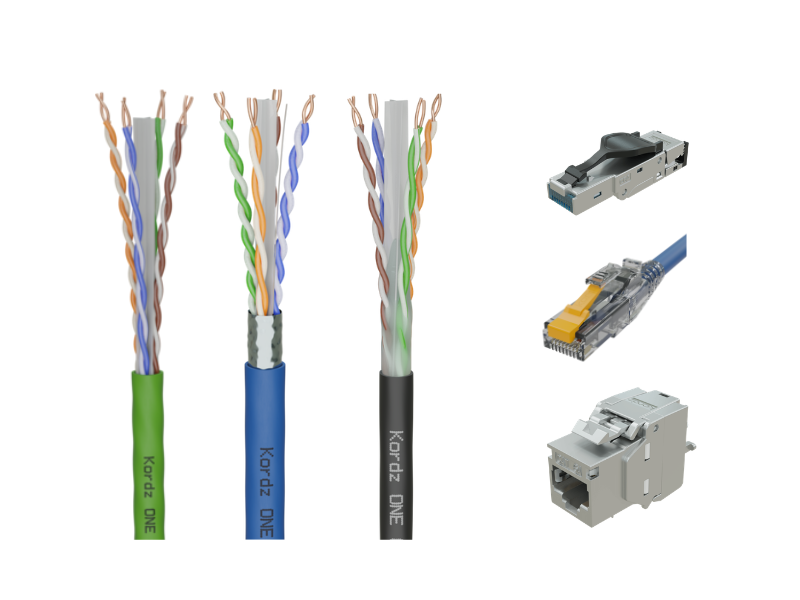
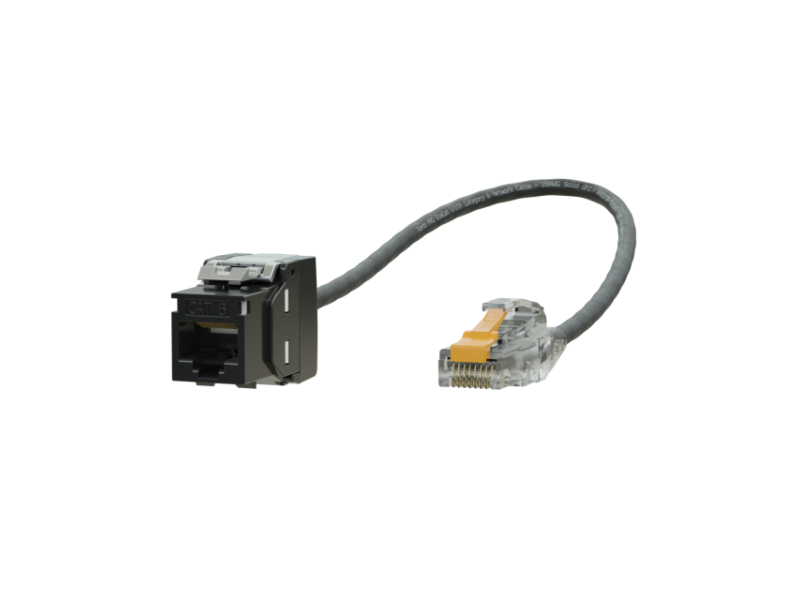
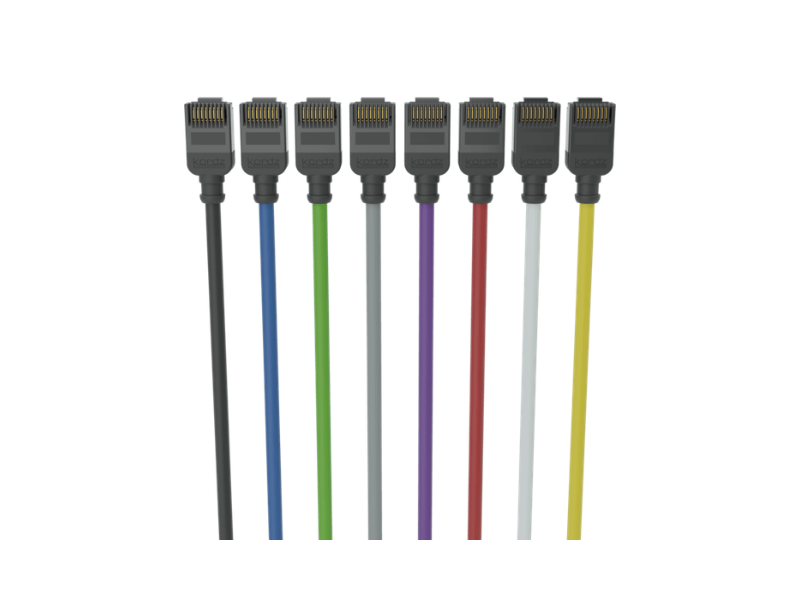
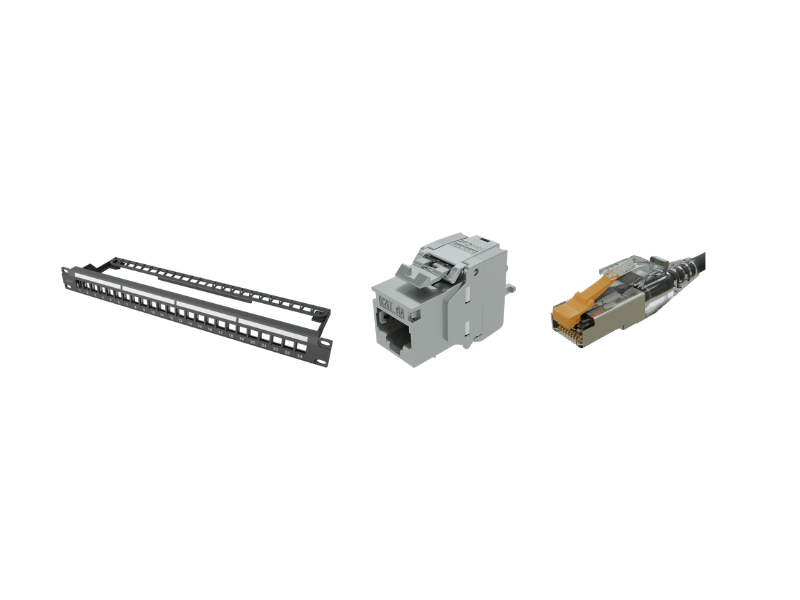
Reliable IP connectivity depends on the full channel: cable, connectors, patching, termination quality and installation practice.
Kordz network systems are designed for professional AV environments where predictable installation, termination compatibility and long-term reliability are critical.
Related Topics
- AV-over-IP Demystified: understand what infrastructure is required when AV signals move across the network.
- Choosing the Right Network Cable: learn how cable category, construction, environment, PoE and future access influence specification.
- PoE Demystified: see how power budget, voltage drop, heat, cable construction and endpoint behaviour affect powered network devices.
- Cybersecurity Demystified: see why secure AV systems depend on disciplined wired infrastructure, physical-layer design and controlled network access.
FAQs
What is IP connectivity in an AV network?
IP connectivity is the internal network infrastructure that allows connected AV, control, Wi-Fi, surveillance and smart systems to communicate using Internet Protocol. It includes the cabling, switches, patching, outlets, topology and network design that allow data to move between devices.
Do integrators need to understand IP networking?
Integrators do not need to become enterprise network engineers for every project, but they do need to understand the network fundamentals that affect AV reliability. This includes cabling, topology, switch paths, permanent links, channels, patching, testing and documentation.
What is the difference between a permanent link and a channel?
The permanent link is the fixed cabling between two connection points, such as a patch panel and wall outlet. The channel is the complete end-to-end path, including patch cords at the rack and device end.
Why can a network pass a basic test but still have problems later?
A basic test may confirm continuity, but it may not prove that the installed channel has enough performance margin for the required application. Poor terminations, excessive length, damaged cable, weak patch cords, interference, PoE load or higher traffic demands can expose issues later.
How does IP connectivity affect AV-over-IP?
AV-over-IP depends on the network being able to carry AV traffic reliably and in real-time. Cabling, switching capacity, uplinks, topology, latency, multicast behaviour, testing and documentation all influence whether the AV-over-IP system performs consistently.
What should integrators document before handover?
Integrators should document cable routes, outlet IDs, patch panel locations, switch ports, test results, device connections, IP addressing where relevant, and any changes from the original design. This makes future support faster and reduces guesswork during troubleshooting.
Conclusion
Today’s AV systems depend on the network. Whether it’s distributing AV content, video conferencing, control systems, monitoring and updates, or cloud services, a robust network is what allows these systems to perform consistently and to be supported long after handover.
For AV integrators, this means looking beyond the internet service entering the building. It is the internal network infrastructure that determines how reliably connected systems communicate and perform.
Understanding the fundamentals – LAN design, device roles, topology, permanent links, channels, components, standards, installation practice, testing and documentation – helps integrators make better infrastructure decisions before problems appear on site.
The result is a network that is easier to install, easier to troubleshoot and better prepared for Wi-Fi, PoE, AV-over-IP, control, security and future system expansion.
© 2026 Kordz International. All Rights Reserved.
Please note, re-publishing of the contents of this article is prohibited; however, Kordz encourages the link to this page to be shared. If media, distributors, educators or others wish to share this information, we request you author your own post or article and link it to this page on kordz.com.